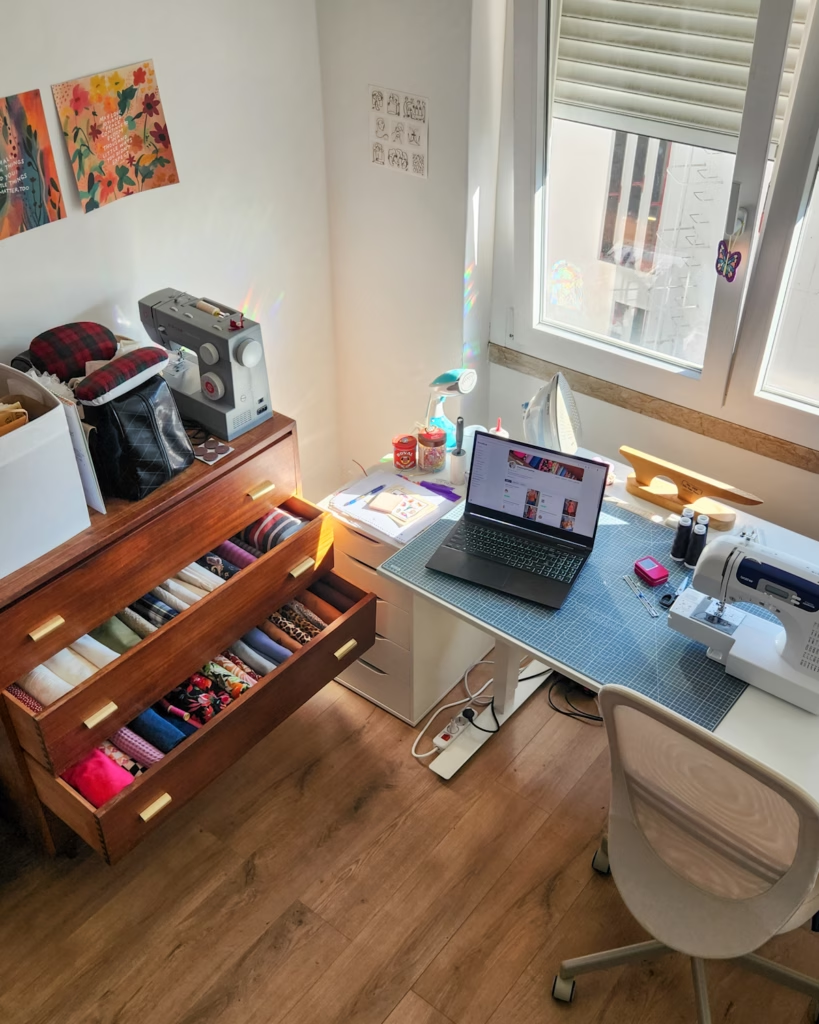
The online sewing community is growing and changing, but it doesn’t have to be overwhelming. It can be fun and exciting! And maybe we can get some of our precious sewing time back in the process. Let me explain.
If you have ever gone online searching for reviews about a pattern or wanting to post one yourself, you might have found PatternReview.com. The site has been around for a long time and has 160K+ pattern reviews. While I’ve never used the website to post a review before, just going to the website makes you feel like you’ve stepped back in time to the 2000’s. The website is very old and is in desperate need of an update, and this tends to deter a lot of people from using it.
Another app you might frequent and find community within is Instagram. It has had quite a few updates that have made it harder for sewists to post, search for, or follow hashtags. Many people have realized that they’ve stopped seeing posts from the people that they follow, and it also seems like their followers don’t see what they are posting. It’s also impossible to not be inundated by ads and videos every time you log in. These are just a few of the many things people have been frustrated with.
A couple of makers have taken it into their own hands to fix the problems themselves. Both of their apps have no algorithm and no advertising, so you can probably understand why sewists are flocking to them.
Thread Loop
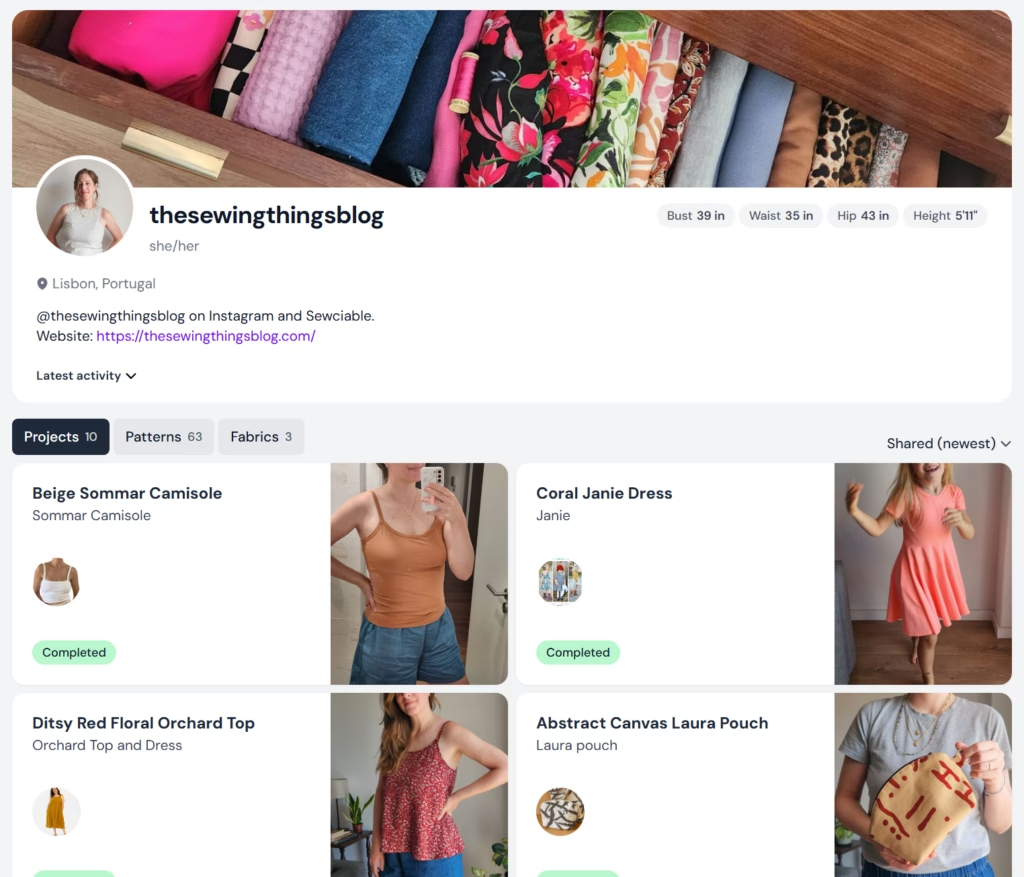
A better way to organize your sewing | Threadloop |
Cost: Free or Upgrade to Plus for $5/month or $48/year USD
Designers: Guro and Endre in Oslo, Norway
Threadloop is a phone app and can easily be used on desktop too, so you don’t have to do everything on your phone unless you want to. You can use the free tier that lets you do all of the basic things, but they also have a Plus membership for $5/mo or $48/yr USD that gets you some time-saving features.
They recently started letting members use Plus for 2 weeks without even asking for your card information. At the end of the two weeks, you can choose to pay for Plus or you will just go back to having the free features.
This app is exactly what its tagline says – a better way to organize your sewing. On the platform, you can get as technical or non-technical as you want with the things (i.e. projects, fabrics, notions) you choose to add.
Home
This page includes many different sections, organized beautifully, so that you can find what you are interested in or looking for. You can see the latest shared projects (from sewists), latest pattern lists (created by sewists), challenges (i.e. Me Made May, Worktober, etc.), latest reviews (finally!), as well as new, trending, and most popular patterns, and announcements. You might go down a rabbit hole. It’s okay. We all do it.
Profile
Your profile is where you can add patterns, projects, fabrics, and notions. I’ve really enjoyed quickly adding patterns that I own so that I can easily see them all in one place. I also haven’t minded going in and adding recently completed projects. Although, I haven’t been adding a lot of detail to my finished projects here because I already write entire blog posts about them. But I have been adding the link to the blog posts.
When you’ve completed your project, little confetti pop up on the screen for as many times as you push it (try it and find out!) which is really fun. Once your project has been shared, people can comment or leave “compliments” which are basically pre-written reaction words like ‘cool’ ‘neat’ ‘beautiful’. It’s kind of a cute feature and makes it easy for people to engage without having to write a whole comment.
I tried adding a few fabrics, but it felt a bit tedious for me personally. The platform lets you add photos of your fabric, amounts, fiber/drape details, your plans for it and tons of other details if you so desire. You can also add how much of the fabric you use to your project’s details, which some sewists really like because the app will analyze how much fabric you’ve used at the end of the year (or any given amount of time).
Members
I think it’s really interesting that you can’t see follower counts anywhere, which is fine, but that’s usually how I find people easily (by clicking on other’s followers and browsing). The only ways to find people is by searching in the members tab by name or you can filter members by when they joined, username (alphabetically), or who has been recently active.
A newly release feature lets you add your location. You can be as specific as you want, or you can just add your country/state. In the announcement release it also explains how to find other sewists in your area! Who doesn’t love making local sewing friends?!
Guide
If you want to learn more about how you can use this platform to your benefit, they have many guides on getting more familiar with Threadloop. If you are curious about Threadloop Plus they have guides on What is Plus and Plus Features.
I can see why people really like this platform, but I can also understand how it can get pretty overwhelming as well. From clicking around on other people’s profiles, I noticed that people tend to use it in ways that benefit them best. If you want to log your entire fabric stash and analyze how much you use throughout the year, you can! If you want to just add new projects and share some of the details, you can do that too.
Constant Progress!
The Threadloop team is constantly making changes and improvements to the platform, and you can keep up to date on those through their announcements. There have been times when the app goes down for a short amount of time so that they can implement changes and update the app, but the platform is usually up again within a few hours.
There is so much more available on this platform, but these are the things that stood out the most to me. I’m going to stick around and add new projects when I complete them. I just started the free two weeks of Plus a couple of days ago, so I’m going to see how it goes and then decide if I want to pay going forward.
Sewciable
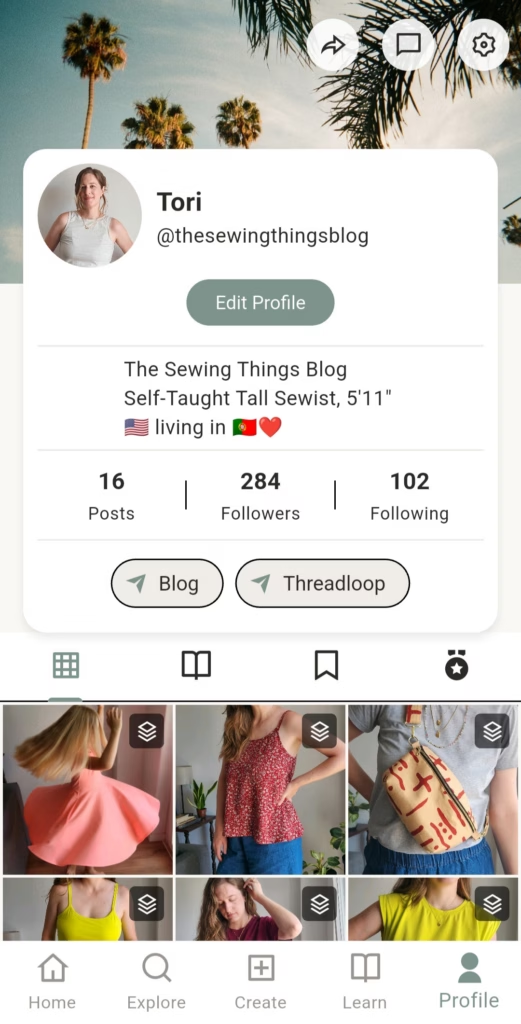
Sewciable – Social Media for Makers
Cost: One week free and then $1.99/mo USD
Designers: Meg and Chris Nielsen in Perth, Austrailia
When I first heard about this app, I thought it was a little too good to be true. But it’s actually really nice and honestly a breath of fresh air. Sewciable is for all fiber artists and creatives including sewists, knitters, crocheters, embroiderers, etc.! You might be familiar with the app’s style since it is very similar to Instagram, but with new and cooler features.
You can get your first week of Sewciable free, but after that, it’s $1.99 USD per month. Which is absolutely the lowest price for what you are getting, especially compared to other subscriptions you probably have that you might be using less. I’m also more at ease paying the low price when I know it’s been created by people who care and aren’t going to sell my data.
For the sake of organization, I’m going to go over the five tabs that you see at the bottom of the app and what you will find there.
Home
You might be happy to know that Sewciable has a chronological order feed, and you finally see all of the posts from the people and hashtags that you follow. What I noticed in the first few days of using it was that it took up so much less of my time. I could just open the app, see new photos, respond to comments, and I was done! Is that even possible?! Well, now it is.
Explore
Other features in the app include the ‘explore’ tab where you can see popular hashtags (this week or all time), accounts (new or most followed, and posts (new, most liked 30 days, or most liked all time). That made it really easy for me to find well known people that I also follow on Instagram and find new people that I’d never seen before but loved their makes!
Create
Creating a post or tutorial has never been easier. I haven’t shared a tutorial yet, but the layout is very intuitive. One of my favorite features in creating a post is that you can add links to your captions! It makes it so quick and easy for me to add a link to my blog posts. You can also save drafts for things you aren’t ready to post yet.
For each post you can add up to 30 hashtags. I’m so happy to have hashtag pages that don’t have other random things mixed in (like Instagram does now). It will take a while for the hashtags to populate as people add their makes and photos, but people are adding more every day! Please, feel free to contribute!
Learn
Another feature is the ‘learn’ tab where people can find tutorials. So smart, right? I’ve had fun scrolling through and saving a few. I’m also excited to add a few of my own eventually.
Profile
Your profile is pretty self-explanatory, but there are some fun things you can do with the look! If you select “edit profile” you can add a cover photo, add up to five links (i.e. blog, website, etc.), and you can change your theme color. All fun things to personalize your page and make it a little more you.
Constant Progress!
In some Instagram posts that I’ve seen people share about Sewciable, I’ve seen a couple of comments from people frustrated by the user experience or things breaking occasionally. You have to remember that it’s a team of two people making this, not an entire team of developers and sometimes things stop working for a few hours. Especially because Megan and Chris are in Australia and people are using the app 24/7, so that makes it hard for them to make changes and add features during the app’s “down time”.
The other downside at the moment is that the app is only available on your phone. I saw Megan leave a comment somewhere that they are working on desktop version, but I’m not sure how long until that becomes available.
They are very open to feedback and in the settings you can “report a bug” or “request a feature”. I requested a feature to be able to filter notifications by comments so that I could easily see the things I needed to respond to and low and behold it was a new feature a couple of weeks later!
I’ve received a couple of newsletters from Sewciable over the past couple of months sharing new features and updates that they’ve already made to the app, proving that they are constantly working to make it an enjoyable place for people to be.
If you would like one month free you can create an account using this link. It will in return give me a free month of Sewciable. Once you’ve created an account you can also share the app with friends by going to Settings > Invite & referrals and then sharing that link with your friends. Since signing up a few months ago, I have continued paying every month because the price is so low, and I really want this app to be successful.
Conclusion
If you were to pay for the yearly cost of these two subscriptions, the total would be $71.88 USD. Or if you use the free tier of Threadloop, the yearly total cost of Sewciable is $23.88 USD. That may seem like a lot compared to the $0 you are spending on Instagram, but apps like that come with a different kind of cost.
The big kicker is that money spend on Threadloop or Sociable isn’t going to Meta or any other big companies who sell your data (or use your data to train AI). It’s going to sewists, designers, and software engineers who are trying to make a living and helping to create a safe and enjoyable community for all of us. Which is what we’ve all been asking for, right?! To me, that makes it worth the sub $75 bucks a year to have some peace of mind and make sharing our makes fun and enjoyable again.
If you never used Instagram because posting there always felt very public and overwhelming, maybe you can give one of these apps a try instead! They are both maker/community focused and people are there to cheer you on.
It’s so exciting to me that the sewing community is growing and changing every day. I know it feels like a lot to keep up with, but the point of it all is to connect with people and share the things you enjoy making. So, I encourage you to find a way that feels the best to you! You get to choose how active and involved you want to be.
I would love to know how you’re feeling about the new apps. Have you tried either of them out? What are your thoughts?
Thank you for reading today and happy sewcializing! xoxo